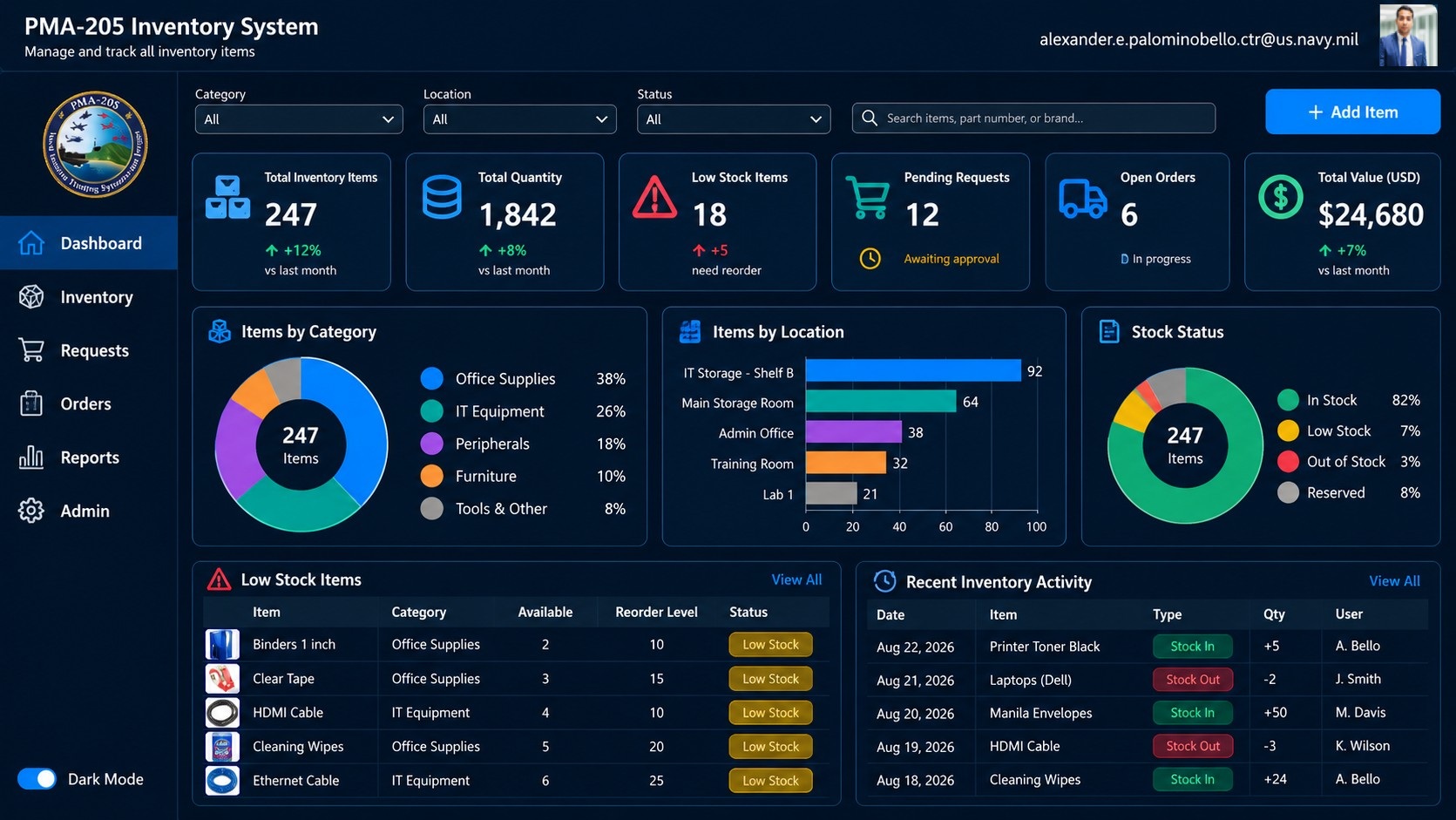
A centralized inventory solution designed to give teams a reliable view of equipment and supply levels, streamline inventory transactions, and improve accountability across the process.
Power Apps
Power Automate
SharePoint
Power BI
Business Problem
Equipment and supply inventory was tracked in disconnected spreadsheets, creating stock discrepancies and no audit trail.
Solution
A canvas Power App backed by SharePoint with barcode intake, automated reorder alerts, and a live stock dashboard.
Requirements
Single source of truth for all tracked assets
Role based access for staff, leads, and administrators
Automated low stock notifications
Full transaction history for audits
Architecture
Power Apps canvas front end for intake and issue transactions
SharePoint lists as the transactional data store
Power Automate flows for approvals, alerts, and scheduled reconciliation
Power BI dataset for stock levels, turnover, and exception reporting
My Role
Gathered requirements with stakeholders and documented process flows
Designed the data model and application architecture
Built the application, automations, and reporting layer
Ran user testing, training, and post launch support
Challenges
Migrated existing spreadsheet-based inventory data while preserving the historical information needed for reconciliation and reporting.
Balanced governance and audit requirements with a simple experience that staff could use consistently.
Lessons Learned
Early stakeholder alignment on workflows, roles, and data requirements reduced rework during development.
Keeping the user experience simple was more valuable for adoption than adding unnecessary features.
Business Impact
Reduced manual reconciliation effort by centralizing inventory transactions and reporting.
Improved inventory accuracy and visibility across teams.
Created a traceable transaction history that strengthened accountability and audit readiness.